
Core Ministry Counts and Managing Your Area’s Ministries
Young Life leadership is asking every area director (or whoever is acting in an area director capacity) to gather and report the following counts for every ministry in their area through the Core Ministry Counts tools in YL Connect:
- Number of Kids Known by Name each month – The total number of Kids Known by Name with whom a leader has met (in person), can call by name, and is praying for. This number grows monthly and is always entered as the last day of the month.
- Number of Students and Leaders at Club each week (or No Event).
- Number of Students and Leaders at Campaigners each week (or No Event) – The cumulative number of students and leaders for all Campaigners meetings in a given week.
Dates for Entries:
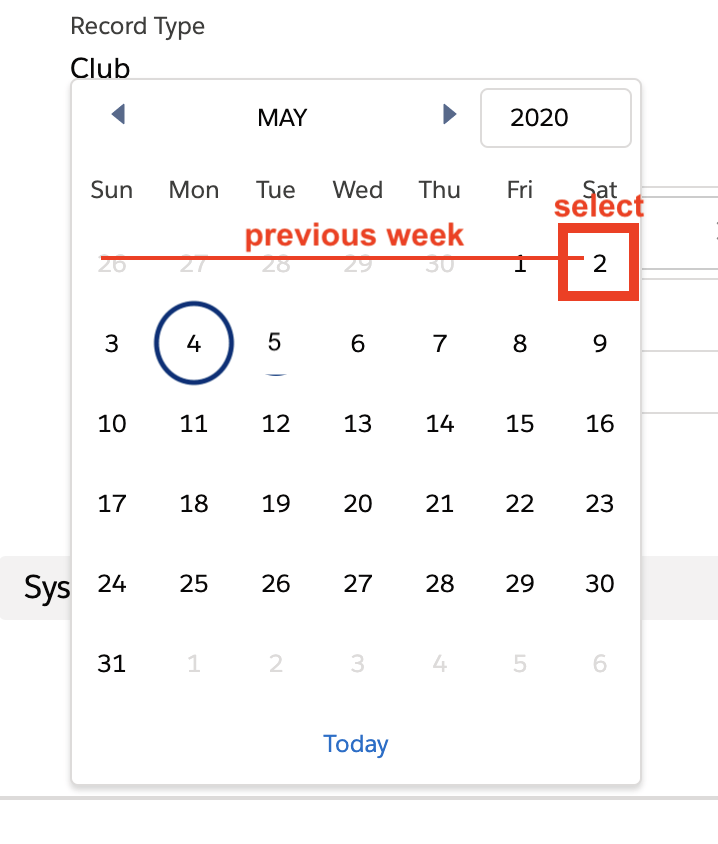
For weekly Club and Campaigners entries: The calendar date (count date) should be the Saturday ending the week of events. The reports in YL Connect reflect a ministry week of Sunday to Saturday, so that’s why we put a count date of Saturday, even if you are entering in data a day different than Saturday. You have until Mondays at noon to enter data from the previous week.
For monthly Kids Known by Name entries: The count date for KKBN is the last day of the month for that month. You do not have to enter the number on that date, but select that last day of the month each time you enter Kids Known by Name.
Use the Core Ministry Count Report found on your mission unit’s home page to check if you are missing entries or have duplicates that need to be corrected. Click HERE for instructions on how to edit previously-entered CMCs.
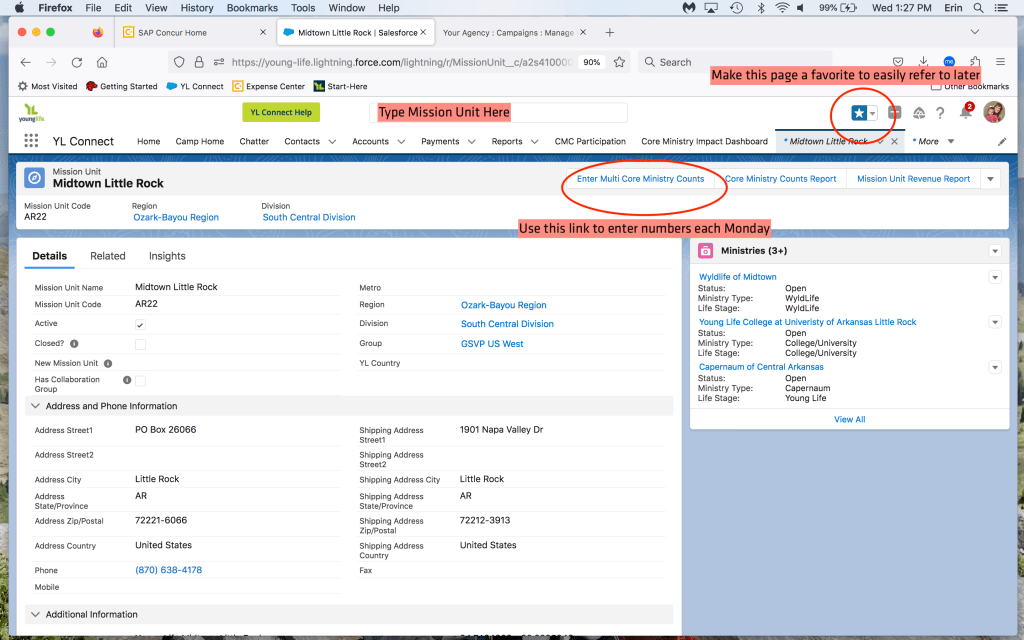
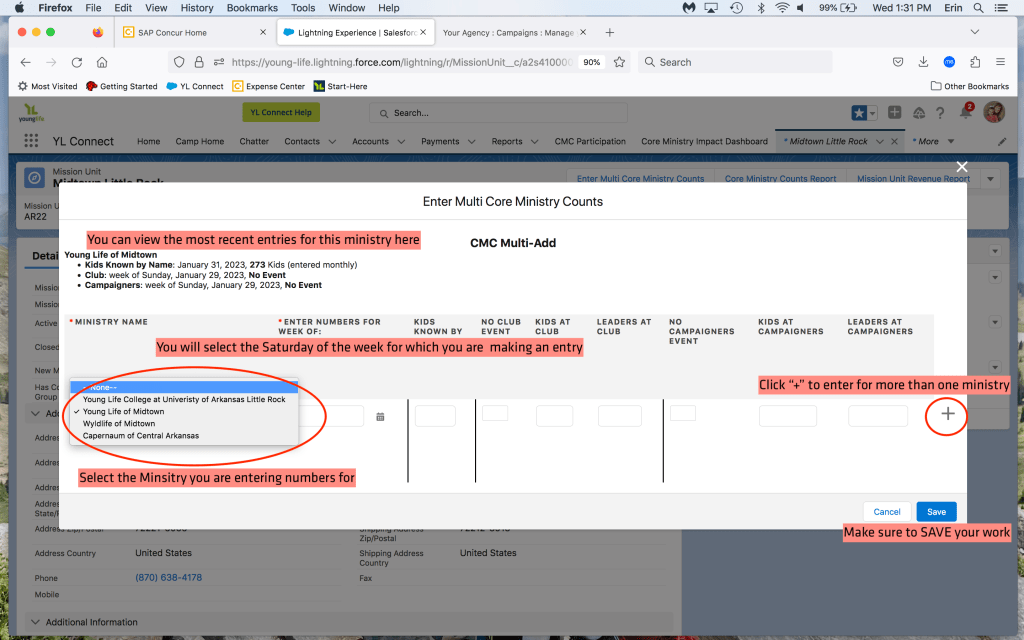
Open vs Developing Ministries:
- Open Ministries need to submit weekly Club and Campaigners and monthly Kids Known By Name.
- Developing Ministries only need to submit monthly Kids Known By Name.
Ministry Management
YL Connect Ministry Management has replaced GPS in Staff Resources – this is where ministries can be opened, closed, renamed, etc. All instructions and information on Ministry Management, including the definition of a Ministry/Affiliation/Location, Open vs. Developing Ministries, etc. can be found in the YL Connect Help Menu (Green button next to Search Bar) and on Staff Resources.
Areas can change the following in YL Connect:
- Add/Edit Locations and Leaders to Ministries
- Add/Edit Kids to Ministries and Locations
Areas should use this form to indicate any one of the following to the regional office:
- Create a New Ministry or Mission Unit.
- Close a Current Ministry.
- Edit a Current Ministry (Rename, Update Status, Transfer to another Mission Unit, etc.).
- Create New Location.
Area users must enter the correct email address (see top of page) in the Regional Administrator’s Email Address field for the form to be routed correctly. The area will also receive a copy of their submission.
 Ozark-Bayou Region